CRS Transfer

CRS TransferCRS TransferCRS Transfer

+1.3033245956

  • Home
  • Offerings
    • Audio/Computer Foundation
    • Pro Recording
    • Learn Pro Tools
    • Beat Making
    • Pro Mixing
    • Pro Tools Certification
  • More
    • Home
    • Offerings
      • Audio/Computer Foundation
      • Pro Recording
      • Learn Pro Tools
      • Beat Making
      • Pro Mixing
      • Pro Tools Certification

+1.3033245956

CRS Transfer

CRS TransferCRS TransferCRS Transfer
  • Home
  • Offerings
    • Audio/Computer Foundation
    • Pro Recording
    • Learn Pro Tools
    • Beat Making
    • Pro Mixing
    • Pro Tools Certification

Welcome to Coloradorecordingschool.org

AUDIO & COMPUTER FOUNDATIONS

While romantic notions of analog tape machines and large mixing consoles are inevitable, the reality of modern life is that your computer is 10, 000 times more powerful than the best recording studio was 30 years ago. In our multi-media world, knowing how to get sound recorded, edited, and shared from your desktop or laptop computer makes you a force to be reckoned with. Let ColoradoRecordingSchool.org get you off and running with our Audio & Computer Foundations course.

WHAT WE PROMISE YOU

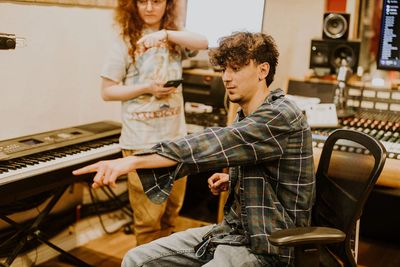
   After this course you will be able to: Navigate an Apple MAC computer, get sound in and out of the computer, record audio into a computer, have basic use of Apple’s recording program GarageBand or Logic, have basic editing skill of audio in GarageBand or Logic, the ability to output and share audio from the recording program. Plus you will record & mix a short small project with the instructor’s help.

Not sure if you need this class?

Take our pre-requisite AUDIO & COMPUTER FOUNDATIONS assessment to see! It’s free! If you get a 90% score, you don't need this class.

Take the Assessment

CLASS INFO

Welcome to CRS Transfer Studios

PRIVATE INSTRUCTION (8 hrs)

PRIVATE INSTRUCTION (8 hrs)

PRIVATE INSTRUCTION (8 hrs)

Only $750 for 4 sessions - 8 hrs total!


The most access to the instructor. 2 hr hour sessions weekly for 4 weeks. Instruction time that works best for the student & instructor will be scheduled upon purchase. Once the schedule is agreed upon, that schedule will be the weekly time slot for the 4 sessions of instruction. We will be teaching on the Apple Mac platform. Apple Mac & audio interface required. (A Macbooks & interface is available for in class use with additional rental fee of $100 for all 4 weeks.)

Click here for private instruction

Music Production

PRIVATE INSTRUCTION (8 hrs)

PRIVATE INSTRUCTION (8 hrs)

Only $675 each for 4 sessions - 8 hrs total!


Do the course with a friend to have a shared experience plus save $75 each! 2 hr hour sessions weekly for 4 weeks. Instruction time that works best for the students & instructor will be scheduled upon purchase. Once the schedule is agreed upon, that schedule will be the weekly time slot for the 4 sessions of instruction. We will be teaching on the Apple Mac platform. Apple Mac & audio interface required. (2 Macbooks & 2 interfaces available for in class use with additional rental fee of $100 for all 4 weeks.)

Sign Up, Click here

Course Content

Session 1 - 1st Hour

Session 1 - 1st Hour

Session 1 - 1st Hour

Fundamentals of Computer Processing Mac OS Functions
Mac OS - what is it? Plus versions/updates. Identifying your OS
Hard Drives, RAM and CPU overview.
Navigating the computer, Programs/Applications vs data/documents
Saving to specific locations - file paths.

Session 1 - 2nd Hour

Session 1 - 1st Hour

Session 1 - 1st Hour

Menus vs Icons vs Windows/Folders
The Desktop vs Documents Folder - Managing/Organizing Storage Media
Common Key Commands
System Preferences - How sound gets into your computer.
What is an interface?
Connecting an Audio Interface & seeing it in Sys Preferences

Session 2 - 1st Hour

Session 1 - 1st Hour

Session 2 - 1st Hour

Review audio interfaces & drivers
Speakers vs headphones.
Installing/Finding GarageBand.
Creating a Music Project
Dragging in a Clip and Output Monitoring
Using an Interface - the 2 sides - Input side and Output side

Session 2 - 2nd hour

Session 1 - 1st Hour

Session 2 - 1st Hour

Setting up tracks
Line vs. Mic Level - Gain Staging
Mic Types and Cables
Recording Accessories, Pop Filters, DI’s

Session 3 - 1st Hour

Session 3 - 1st Hour

Session 3 - 1st Hour

Review previous week review
Recording Your Own Audio
Editing Recorded Clips
Rest of Class is for Recording/Creating/Editing Something

Session 3 - 2nd Hour

Session 3 - 1st Hour

Session 3 - 1st Hour

The Loop Library - Dragging & Dropping - Working with and Editing loops
Mixer Basics
Pre & Post Levels***
Pre Input Level - trim control - “The signal/soundsource coming in.
Fader & Post Fader Levels - Level that will be coming from the recording
SOLO - quickly listening to only that track without having to turn off all other tracks
MUTE 

The Loop Library - Dragging & Dropping - Working with and Editing loops
Mixer Basics
Pre & Post Levels***
Pre Input Level - trim control - “The signal/soundsource coming in.
Fader & Post Fader Levels - Level that will be coming from the recording
SOLO - quickly listening to only that track without having to turn off all other tracks
MUTE - Turns off that track
PAN - in the stereo fields (explain bi-naural), where the sound in located
OUTPUT ASSIGN - where is the material going
Outputting Mixes
Technical process
Using a Reference Track.
Sending files - MP3 vs WAV’s

Session 4 - 1st Hour

Session 3 - 1st Hour

Session 4 - 1st Hour

Everyone records a short small project in Studio B Control or Drum Room or Studio A Control or Studio A Voc Booth with instructor help.

Session 4 - 2nd Hour

Session 3 - 1st Hour

Session 4 - 1st Hour

PLUG - INS - EQ basics (optional)
Everyone mixes their project - with instructor help. 

Contact Us

ColoradoRecordingSchool.org

info@ccmstudios.com 720-941-6088

CRS Transfer

+1.3033245956

Copyright © 2026 CRS Transfer - All Rights Reserved.

Powered by

This website uses cookies.

We use cookies to analyze website traffic and optimize your website experience. By accepting our use of cookies, your data will be aggregated with all other user data.

Accept